A QA lead at a SaaS company told us her team had 600 Playwright tests, a 15% first-run failure rate, and a release gate nobody trusted. The tests were fine. The structure around them was not. That structure is the test automation framework: The rules, libraries, and conventions that decide how tests are written, run, and maintained.
Regression suites fail this way. They grow faster than anyone can fix flaky failures, sign-off slows, and engineers stop trusting red builds. Choosing an engine does not fix that. Choosing a pattern, then an engine, then a way to run it at scale does. Automated regression testing is usually the first suite to suffer.
What Is a Test Automation Framework?
What is test automation in software? It uses scripts and tools to verify that an application behaves as expected, without a person repeating each check by hand. Tests run on demand or on every code change and report pass or fail.
A test automation framework is the set of rules, libraries, and conventions a team uses to write, run, and maintain those tests consistently. It covers structure, data, reporting, and CI/CD execution, which a tool like Playwright or Selenium alone does not.
Core Components of a Test Automation Framework
A mature framework solves seven problems. Each fails in a predictable way when nobody owns it:
- Test runner: Executes and parallelises tests. Without it, nothing runs on a schedule.
- Test structure: Where files live and how they are named. Without it, new joiners guess.
- Assertions: The checks that decide pass or fail.
- Setup and teardown: Puts the system in a known state. Without it, tests depend on each other.
- Test data: Who creates, owns, and cleans it. Without an owner, data rots.
- Reporting: Shows what failed and why.
- CI/CD hook: Runs the suite on every pull request through DevOps automation tools such as GitHub Actions or Jenkins.
Core Types of Test Automation Frameworks
Real suites blend these patterns rather than choose one. Most struggling teams adopted four and never agreed which applied where. Each pattern below covers what it is, what it costs, and where it breaks.
Modular and Page Object Model (POM)
The Page Object Model (POM) gives each page or component its own class, so tests never touch selectors directly. Each class holds two things:
- Selectors: Where each element lives.
- Actions: What a user can do there, such as logging in or adding to a basket.
A redesign that changes the login button means one file to fix, not forty. The failure mode is size: Page objects so large nobody reuses them, or so small nobody can follow the flow.
Data-Driven and Keyword-Driven
Both separate test logic from something else. Both carry a cost:
- Data-driven: One test runs against many inputs held in JSON, CSV, or a database, so a checkout test covers many addresses without many scripts. Someone has to own that data.
- Keyword-driven: Tests are named actions such as "open page" or "verify text" in a table, so non-programmers can assemble scenarios. Someone has to maintain the keyword library.
Neither is free. Name the owner before adopting either.
Behaviour-Driven Development (BDD)
BDD writes scenarios in plain language that product, QA, and developers can all read. Each follows Given-When-Then, and a tool such as Cucumber links every line to code:
- Given a registered customer with an empty basket.
- When they check out one item.
- Then a confirmation is shown.
It earns its place when product and QA genuinely review the scenarios. When only engineers read them, BDD is just step-definition upkeep on top of a second layer of files.
Hybrid Frameworks
Most mature suites end up hybrid, mixing the patterns above where each one fits. A typical blend looks like this:
- POM for structure.
- Data-driven inputs for repeated flows.
- Shared fixtures for setup.
- BDD for a few business-critical flows.
The risk is hybrid turning into everyone doing it differently, so write the rules down. More patterns is not better, and one pattern applied consistently beats four applied cleverly. Whether a team needs BDD at all has no clean answer.
Test Automation Frameworks Compared at a Glance
Not every tool solves the same problem. Start with the type of testing you run most, then use this table to narrow the field.
This table narrows the field; it does not make the call. Even a well-matched tool struggles when your team's skills, release cadence, test data, or upkeep capacity pull the other way. Test the shortlist against those limits first.
Top Test Automation Frameworks to Use in 2026
Each entry below covers three points. These are strengths, limitations, and the team it fits best.
Selenium
Selenium controls real browsers through the WebDriver protocol and has done so for over a decade. It stays relevant where teams need wide browser coverage, a free choice of language, and full control over how the suite is built.
Best fit:
- Cross-browser suites for large web estates.
- Enterprise teams that already hold Selenium skills.
- Projects that must stay language-neutral.
Playwright
Playwright handles web automation across Chromium, Firefox, and WebKit from a single API, with waiting and tracing built in. Teams use it for logins, dashboards, and multi-tab journeys, then debug CI failures from recorded traces.
Best fit:
- New web products with dynamic interfaces.
- Teams that need fast failure diagnosis in CI.
- Projects that rely on parallel execution early.
Cypress
Cypress runs inside the browser alongside your application, so you watch each command as it executes. That tight loop makes it a favourite of front-end developers who write their own end-to-end and component tests for CI/CD pipelines.
Best fit:
- JavaScript teams who own their front end.
- Component and UI checks during development.
- Pipelines that value quick local feedback.
WebdriverIO
WebdriverIO is a Node.js test runner that controls browsers and mobile apps through WebDriver and Appium. One configuration can cover web and mobile suites, which suits JavaScript teams that want a single toolchain.
Best fit:
- Node.js teams testing web and mobile together.
- Projects already built on Appium.
- Suites that need custom reporting.
Appium
Appium automates native, hybrid, and mobile web apps on iOS and Android through the WebDriver protocol. You write tests once against one API, without changing the app under test.
Best fit:
- Mobile QA teams with cross-platform apps.
- Products that mix native and web flows.
- Suites that must run on real devices.
Cucumber
Cucumber runs scenarios written in Gherkin, a plain-language format that product, QA, and developers can all read. Each step links to automation code, so the scenario doubles as living documentation.
Best fit:
- Teams that agree acceptance criteria before coding.
- Business-critical flows with product sign-off.
- Product and QA reviewing tests together.
Karate
Karate tests APIs with a readable scripting syntax that needs little code. It also offers mocks and parallel runs, so one tool can cover contract checks and regression suites in an API automation framework.
Best fit:
- API-first teams.
- Contract and regression checks across services.
- Products without a large UI layer.
Jest
Jest is a JavaScript testing framework that bundles a runner, assertions, and mocking. It is a default choice for unit and integration tests in React and Node.js projects.
Best fit:
- React and Node.js codebases.
- Unit and integration layers of the test pyramid.
- Quick feedback in CI pipelines.
How Frugal Testing Helps You Build a Test Automation Framework, Without the Overhead
We design test automation frameworks and provide QA automation services for teams that want structure without the overhead. Our software test automation services sit alongside our QA testing services and software QA services. In the end, your team owns the framework code, the CI pipeline, and the documentation.
Across our QA engagements, the most common cause of an unmaintainable suite is that nobody agreed on the pattern before the second engineer joined. Early framework decisions are expensive to reverse. Whether you are weighing e-commerce QA testing outsourcing or something smaller, we can help you compare QA outsourcing services and in-house options.
What Our Framework Engagement Looks Like
The engagement runs four weeks for a typical suite. Each week ends with something you can review:
- Week 1: Assess your current suite, stack, and pipeline, then agree on the pattern and success criteria.
- Week 2: Prove the approach on your hardest flow, including a deliberate failure.
- Week 3: Build the shared structure, fixtures, and CI integration.
- Week 4: Hand off with documentation and a walkthrough, so your team owns the code.
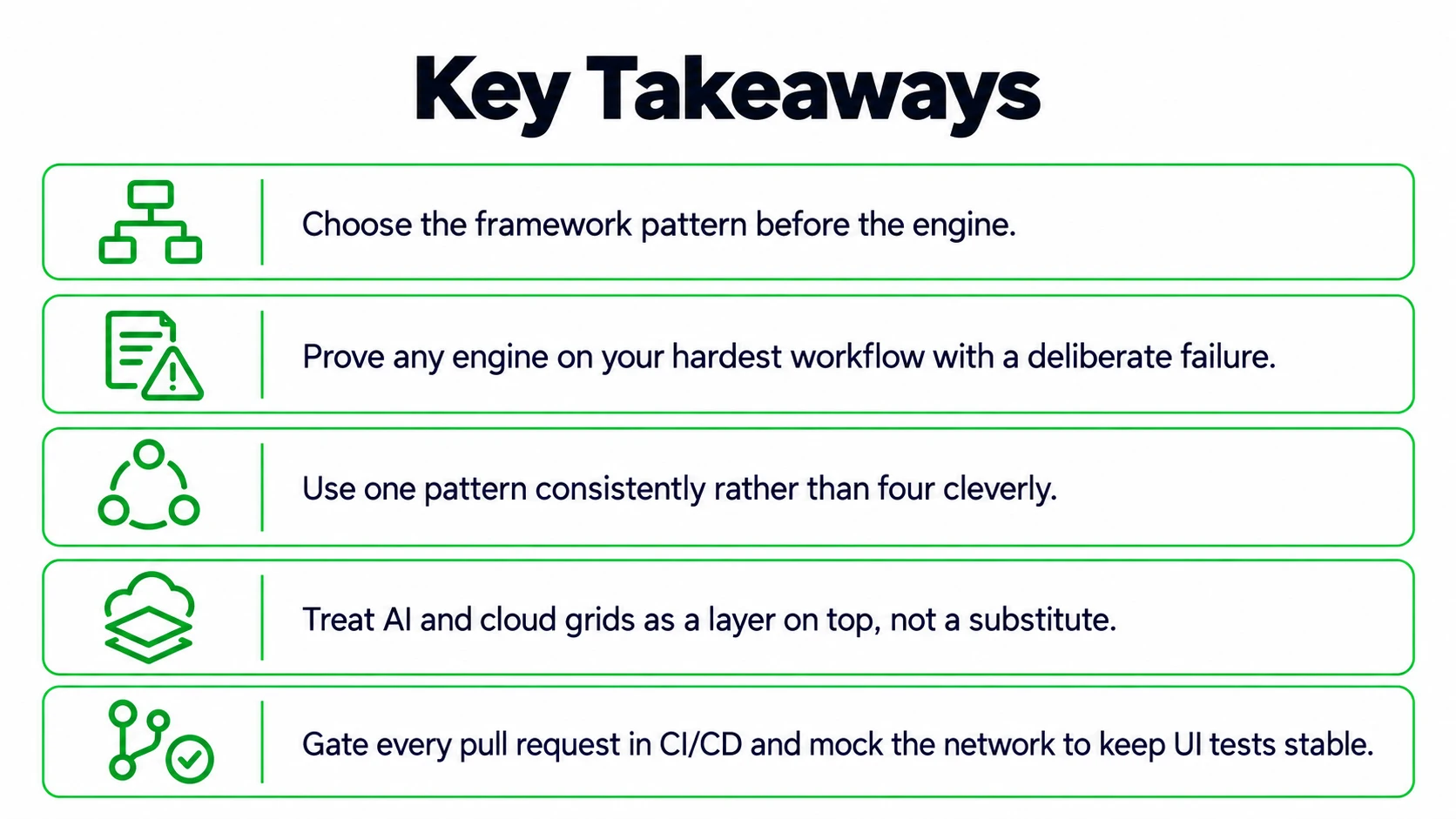
Conclusion: Choose the Pattern Before the Engine
The test automation framework you build matters more than the engine you pick. Pattern first, then engine, then a proof of concept that tries to break your assumptions. AI and grids add speed, and the habits above keep the suite honest.
What is harder to answer is who will still care about the suite in eighteen months. Settle that now, while the suite is small enough to reshape.
People Also Ask (FAQs)
Q1. How do we measure whether test automation is working?
Ans: Track first-attempt pass rate, flaky test count, pipeline duration, and escaped defects each month. If failures are rising or the suite is slowing releases, the framework needs attention.
Q2. How much of our test suite should we automate?
Ans: Automate stable, repetitive, high-risk flows first, such as login, checkout, and core APIs. Leave exploratory testing and rapidly changing screens to humans until the design settles.
Q3. Do we need separate frameworks for web and mobile testing?
Ans: Not necessarily. Teams often share conventions, test data, and reporting across web and mobile suites, while using different engines underneath, such as Playwright for browsers and Appium for devices.
Q4. Can one framework cover both API and UI tests?
Ans: Yes. A shared runner, data layer, and reporting can serve both. API checks run faster, so teams put more coverage there and keep the UI layer thin.
Q5. How often should we review the test automation framework?
Ans: Review it every quarter and after any major product change. Look for duplicated helpers, unowned test data, and slow tests, then fix the structure before adding more coverage.

.webp)